Using Aspen to access Student Account Information for Google
Please click the LINK to access this post as a Google Doc.

Customizable headers and footers, page numbers in Google Docs
Customizable headers and footers, page numbers in Google Docs
People using Google Docs can now use different headers and footers on the first pages of their documents, which comes in handy for:
After inserting a header or footer in your document you’ll see a new checkbox―just tick it and you’ll be able to set a different header and footer on the first page: 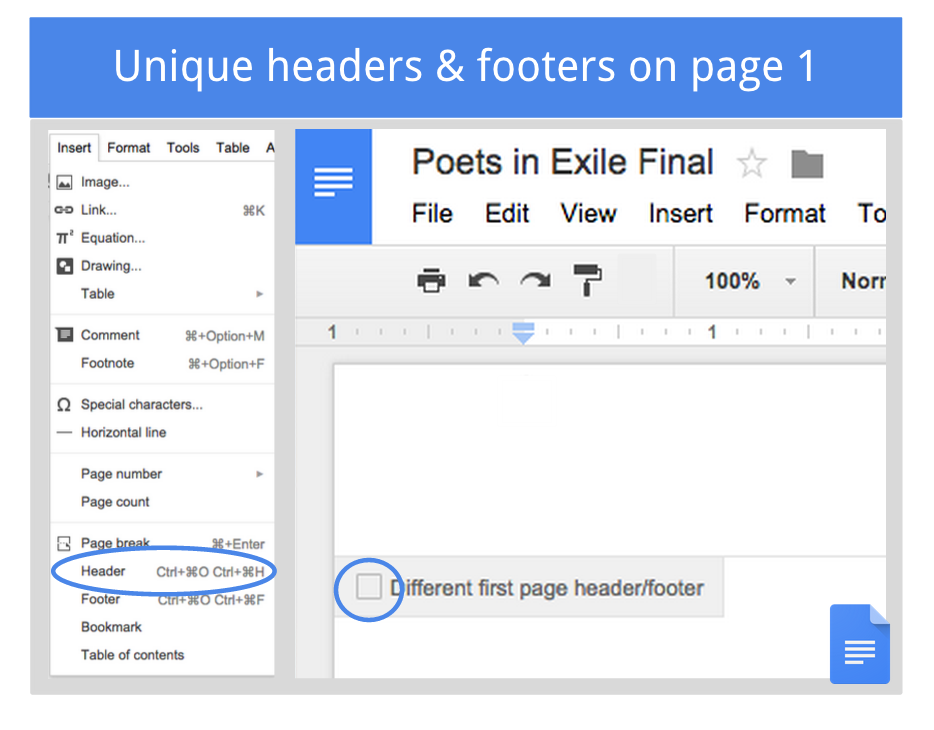 There’s also a new Insert > Page Number menu that lets you customize how and where you start your page numbers―like on the bottom of the second page, for example. Want to see more like this? Go to Google Apps Updates and sign up to be the first to know about Google updates! |
Subscribe to:
Comments (Atom)